
Compression is one of those tools every producer uses, but not everyone fully understands. Whether you’re trying to control loud vocals, tighten up drums, smooth out a bassline, or glue a mix together, a good compressor can completely change how professional your track sounds. The best part is — you don’t need expensive plugins to get great results anymore.
In this article, I’ve put together a list of 10 free compressor VST plugins in 2026 that I think are genuinely useful for real music production. These aren’t just random downloads — they’re plugins that can actually help you mix cleaner, control dynamics better, and make your tracks sound more polished across genres like EDM, hip-hop, pop, and cinematic music.
How I Chose These Plugins
There are hundreds of free compressor plugins available online, but not all of them are reliable or useful in real production. For this list, I focused on plugins that are stable, easy to use, and capable of delivering clean and musical compression in actual mixing situations.
The plugins included here were selected based on a few important factors: sound quality, CPU efficiency, compatibility with popular DAWs, and how practical they are during real mixing and mastering sessions. Some of these compressors are great for transparent dynamic control, while others add character and color to the sound.
Instead of listing every free compressor available, this article focuses on tools that producers can realistically use in their workflow without slowing down their system or complicating their mix process.
This list is based on research, community recommendations, developer documentation, and common usage among music producers, rather than personal testing of every plugin.
What Is a Compressor Plugin?
A compressor plugin is a tool used in music production to control the dynamic range of audio. In simple terms, it reduces the difference between the loudest and quietest parts of a sound, helping a track feel more balanced and consistent in the mix.
Producers commonly use compression on vocals, drums, bass, and even the master bus. It can make sounds feel tighter, more controlled, and sometimes more powerful depending on how it’s used.
Most compressor plugins include controls like threshold, ratio, attack, release, and makeup gain. Even basic compression can significantly improve how elements sit together in a mix, which is why compressors are considered one of the essential tools in music production.
1. MJUC Jr. by Klanghelm
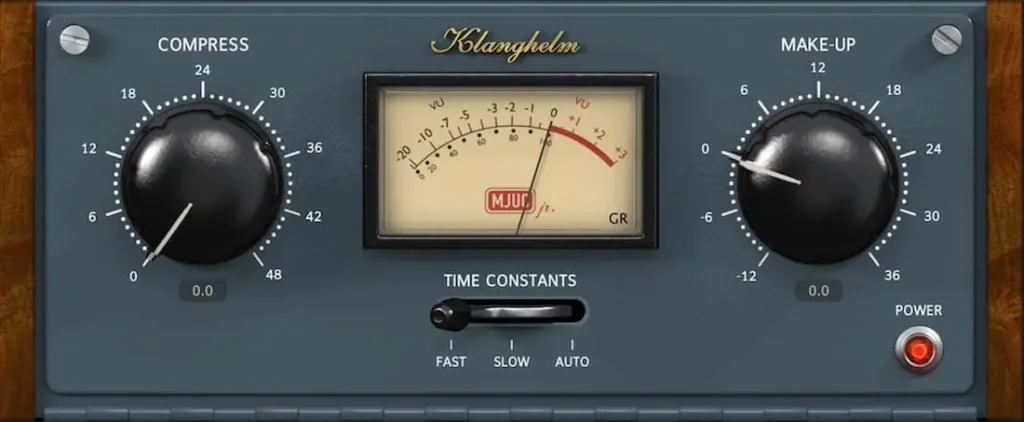
MJUC Jr. is one of the most popular free compressor plugins for producers who want analog-style warmth without complexity. It’s based on tube compression behavior, which means it doesn’t just control dynamics — it can also add subtle saturation and character to sounds.
The interface is intentionally minimal, making it easy to dial in musical compression quickly. Even with limited controls, MJUC Jr. works well on vocals, drum buses, basslines, and sometimes the mix bus when you want a smoother, glued-together sound.
Instead of being a “transparent” compressor, MJUC Jr. leans toward color and musicality, which is why many producers keep it in their template even in 2026.
Key Features:
- Analog-modeled tube compression character
- Two timing modes (fast and slow response)
- Simple, beginner-friendly interface
- Very CPU-efficient
Pros:
- Adds warmth and subtle saturation
- Quick to dial in good results
- Great for bus compression
- Stable and lightweight
Cons:
- Very limited parameter control
- No sidechain support
- Not ideal for surgical compression tasks
Best Use Cases:
- Vocal warmth and smoothing
- Drum bus glue compression
- Bass leveling
- Gentle mix-bus compression
2. TAN by Acustica Audio
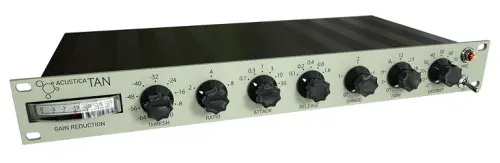
TAN by Acustica Audio is a free compressor plugin known for clean, transparent compression with detailed dynamic control. Unlike vintage-style compressors that add noticeable color, TAN focuses more on precision, making it useful when you want to control dynamics without changing the tone too much.
One standout feature is the ShMod control, which changes how the release curve behaves. This allows for more natural-sounding compression, especially on drums, buses, and full mixes where release timing matters a lot.
TAN can handle both gentle leveling and stronger compression, but it’s slightly heavier on CPU compared to simpler free compressors.
Key Features:
- Transparent compression character
- ShMod release-curve shaping control
- Suitable for mixing and mastering
- Modern interface design
Pros:
- Very clean and controlled compression
- Flexible release behavior
- Works well on buses and full mixes
- Professional sound quality
Cons:
- Higher CPU usage than most free compressors
- Interface may feel technical for beginners
Best Use Cases:
- Drum bus control
- Mix bus compression
- Vocal leveling
- Transparent dynamic control on instruments
3. Molot by Vladg
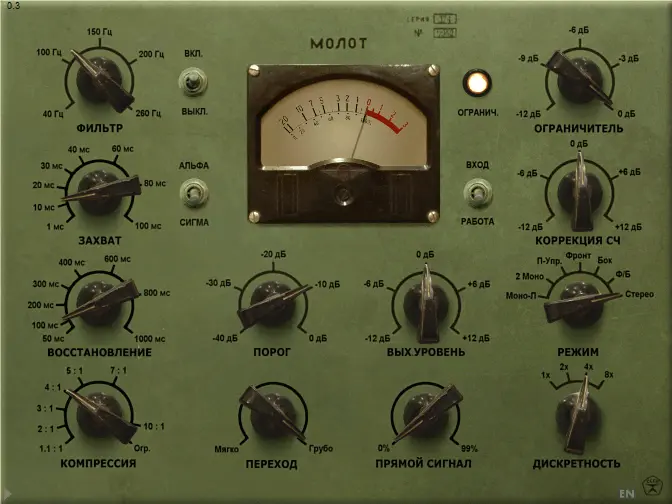
Molot by Vladg Sound is a free compressor that leans heavily toward character and color rather than transparency. If MJUC Jr. gives smooth analog warmth, Molot gives punch, grit, and attitude.
This compressor is especially useful when you want compression to be audible and musical, not invisible. It can add density to drums, weight to bass, and a slightly aggressive tone to instruments. The interface looks complex at first, but most producers end up using it for its tone rather than deep technical control.
Molot also includes mid-side processing and stereo controls, which is rare for a free compressor plugin.
Key Features:
- Character-style compression with saturation
- Mid-side and stereo-link controls
- Sidechain high-pass filter
- Detailed metering
Pros:
- Strong personality and punch
- Great for drums and bass
- Mid-side processing is a big bonus
- Very flexible once understood
Cons:
- Not suitable for transparent compression
- Interface looks outdated and complex
- Can be easy to over-compress
Best Use Cases:
- Drum bus compression
- Bass processing
- Parallel compression
- Adding character to instruments
4. DC1A by Klanghelm
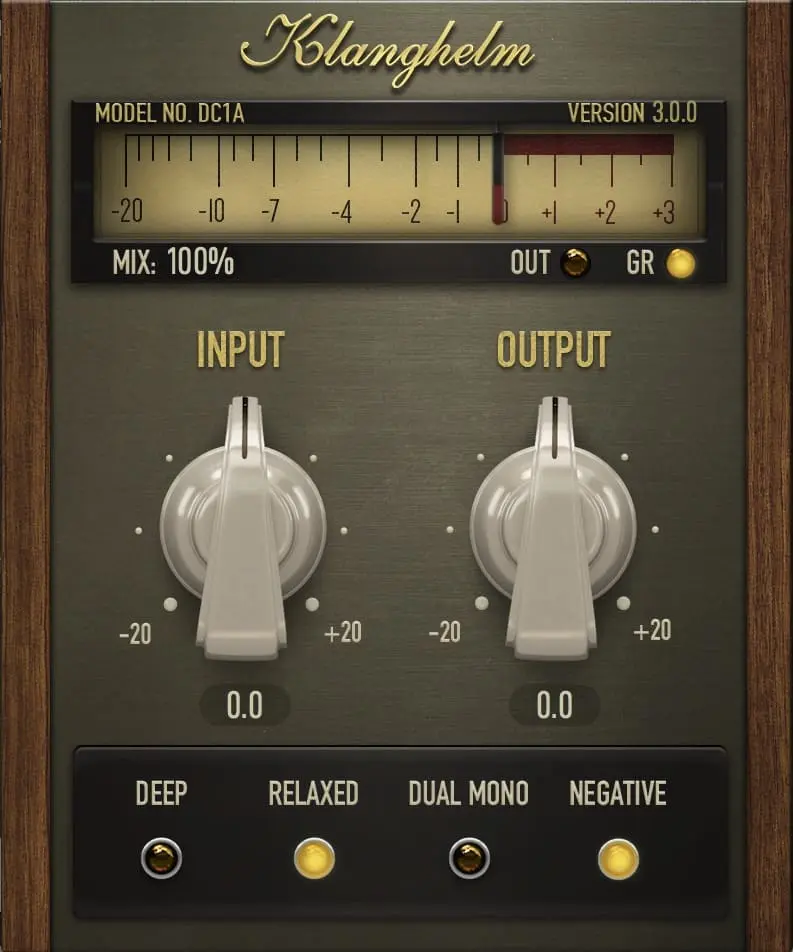
DC1A is one of those compressors you load when you don’t want to think about compression too much. It’s extremely simple — just Input and Output controls — but it sounds surprisingly musical.
The compression is program-dependent, meaning it reacts to the audio automatically. That makes it great for quick workflow situations where you just want things to sit better in the mix without dialing in attack, release, and ratio manually.
Compared to MJUC Jr., which adds obvious analog warmth, DC1A feels more like a clean leveling compressor with a bit of character when pushed.
It’s especially useful for producers who prefer speed over technical control.
Key Features:
- Two-knob compressor design
- Program-dependent attack and release
- Built-in parallel compression behavior
- Very low CPU usage
Pros:
- Extremely fast workflow
- Sounds natural on most sources
- Great for beginners
- Lightweight plugin
Cons:
- Very limited control
- Not suitable for precise compression tasks
- Can feel “too automatic” for advanced users
Best Use Cases:
- Vocals leveling
- Guitar compression
- Bass smoothing
- Quick mix-bus glue
5. SLAM Pup by Beatskillz
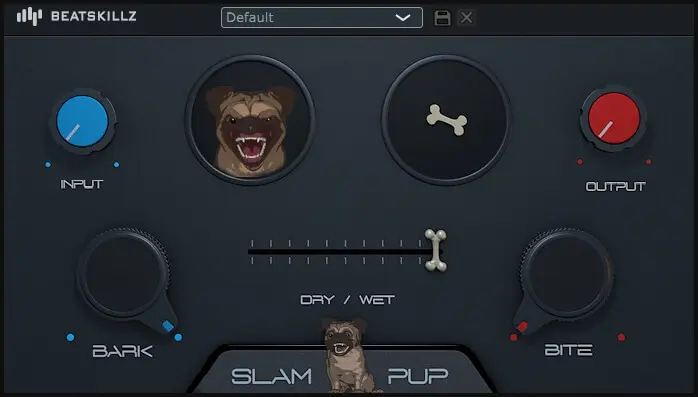
SLAM Pup is more of a character compressor than a precision tool. You don’t load this when you want transparent control — you load it when a sound feels too clean, too digital, or too weak.
The single-knob design makes it obvious: this plugin is about quick punch and saturation, not technical compression settings. Turn the knob until the sound feels thicker — that’s basically the workflow.
The built-in soft clipping is what makes SLAM Pup useful. It adds subtle distortion that helps drums, bass, and vocals feel more forward in the mix without needing extra saturation plugins.
This is the kind of plugin you throw on a track when you want instant energy.
Key Features:
- Single-knob compression control
- Analog-style saturation character
- Built-in soft clipping
- Simple workflow-focused interface
Pros:
- Very fast to use
- Adds punch and thickness easily
- Good for drums and bass
- Built-in saturation saves time
Cons:
- Almost no control over compression parameters
- Not suitable for transparent compression
- Easy to overdo
Best Use Cases:
- Drum bus punch
- Bass saturation
- Thickening vocals
- Adding energy to weak sounds
6. TDR Kotelnikov
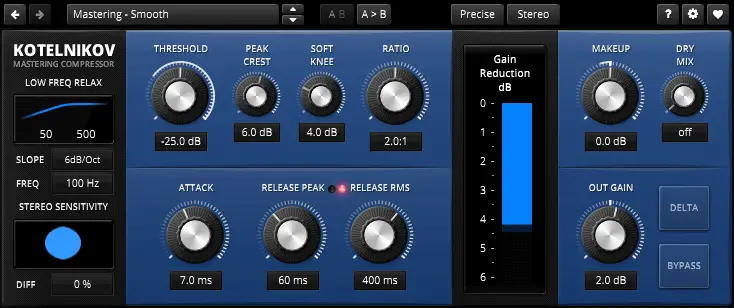
Kotelnikov is the compressor you reach for when you don’t want the listener to hear compression at all.
This is a mix-bus and mastering-type compressor, not a “make things punchy” compressor. It’s designed to control dynamics without adding color, saturation, or obvious compression artifacts.
If Molot is personality and MJUC Jr. is warmth, Kotelnikov is precision.
It’s especially useful when a mix already sounds good but needs tight dynamic control and consistency. The dual-release controls and advanced detection settings allow extremely subtle compression that keeps transients intact while smoothing out the overall level.
This is one of the few free compressors that can genuinely work on a master bus without damaging the mix.
Key Features:
- Ultra-transparent compression
- Dual-stage release controls
- Sidechain high-pass filtering
- Stereo-linked and dual-mono processing
- Mastering-grade dynamic control
Pros:
- Extremely clean compression
- Great for mix bus and mastering
- Precise dynamic control
- Professional-level free plugin
Cons:
- Not beginner-friendly
- No analog color or saturation
- Overkill for simple compression tasks
Best Use Cases:
- Mix bus compression
- Master bus control
- Gentle vocal leveling
- Transparent dynamic shaping
7. RoughRider 3 by Audio Damage
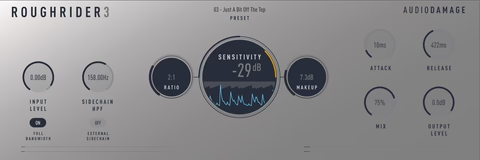
RoughRider 3 is a character compressor built for aggression, not transparency.
If you want clean compression, don’t use this. If you want movement, pumping, and smack, this is exactly the tool.
RoughRider is especially popular in electronic music, hip-hop, and drum processing, where compression is used creatively rather than invisibly. It can squash drums in a musical way and bring quiet details forward, giving loops more energy and attitude.
Version 3 improves the plugin with filtering controls and better metering while keeping the classic RoughRider sound intact.
This is one of those compressors that can quickly make boring drums feel alive.
Key Features:
- Aggressive character compression
- Built-in high-pass and low-pass filters
- Sidechain input support
- Parallel compression control
- Modernized interface
Pros:
- Instantly adds punch and movement
- Great for drum buses
- Excellent for parallel compression
- Very fast workflow
Cons:
- Not suitable for mastering
- Can sound overly squashed if misused
- Not ideal for transparent compression
Best Use Cases:
- Drum bus compression
- Parallel compression on drums
- Adding energy to loops
- Creative compression effects
8. OTT by Xfer Records
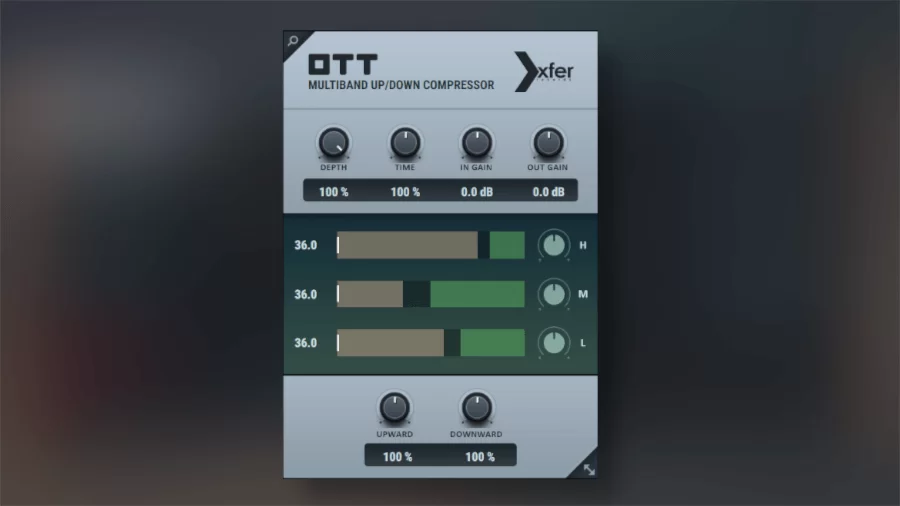
OTT by Xfer Records is one of the most widely used multiband upward/downward compressors in modern music production. Originally popularized as a preset in Ableton Live, OTT became so essential that Xfer released it as a free standalone plugin.
It’s known for its aggressive compression style, bringing out details, increasing perceived loudness, and making sounds feel more energetic and upfront. OTT is especially popular in EDM, dubstep, future bass, and electronic genres, where bold, controlled dynamics are part of the sound.
While OTT can easily be overused, subtle settings can add clarity, presence, and density to sounds without destroying dynamics.
This plugin is less about transparency and more about energy and excitement.
Key Features:
- Multiband compression (upward + downward)
- Depth control for parallel compression
- Time control for compression speed
- Input and output gain controls
- Extremely lightweight and CPU-friendly
Pros:
- Instantly adds brightness and energy
- Great for sound design and electronic music
- Very easy to use
- Free industry-standard plugin
- Works well on synths, leads, and drums
Cons:
- Easy to over-compress sounds
- Not suitable for mastering
- Can introduce harshness if overuse
Best Use Cases:
- Making synths and leads more present
- Adding punch and density to drums
- Enhancing sound design elements
- Parallel compression on buses
9. Frontier by D16 Group
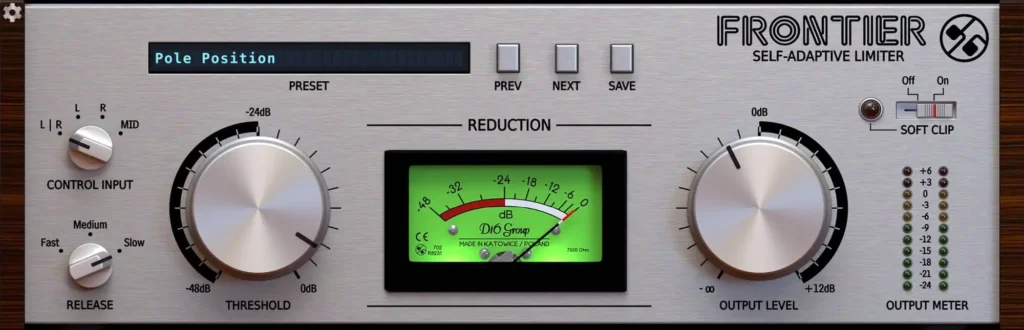
Frontier by D16 Group is a free limiter-style dynamics processor designed to control peaks quickly and efficiently. Instead of behaving like a traditional compressor with detailed parameter controls, Frontier focuses on fast transient control and loudness management, making it ideal for preventing clipping and adding punch to tracks.
It uses a minimal interface with threshold-based control, allowing producers to quickly tame peaks without slowing down their workflow. Frontier can add subtle punch and density while keeping the signal clean and controlled.
Because of its simplicity and speed, Frontier is especially useful during mixing and pre-master stages.
Key Features:
- Fast peak-control dynamics processor
- Limiter-style compression behavior
- Minimal and intuitive interface
- Very low CPU usage
- Output ceiling control
Pros:
- Extremely easy to use
- Great for controlling peaks quickly
- Lightweight and efficient
- Useful on drums, buses, and master channel
- Clean and punchy sound
Cons:
- Not a full-featured compressor
- Limited parameter control
- Not designed for detailed dynamic shaping
Best Use Cases:
- Catching peaks on drum buses
- Preventing clipping on mix bus
- Adding punch before mastering
- Quick dynamic control during mixing
10. LoudMax by Thomas Mundt
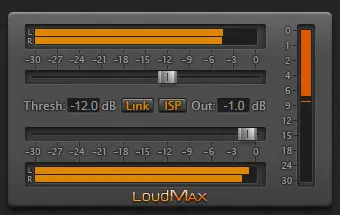
LoudMax by Thomas Mundt is a free brickwall limiter plugin designed to maximize loudness while keeping the audio clean and distortion-free. It’s widely used in mastering chains because of its transparent peak limiting and extremely simple workflow.
Instead of offering complex compression controls, LoudMax focuses on doing one job well — catching peaks and increasing perceived loudness without introducing artifacts. Its minimal interface makes it a reliable final-stage tool for producers who want quick and safe loudness control.
LoudMax is especially useful during pre-mastering and final export stages, where preventing clipping is critical.
Key Features:
- Brickwall peak limiter
- Transparent limiting algorithm
- Threshold and output controls
- Lightweight and CPU-efficient
- Inter-sample peak protection
Pros:
- Very clean limiting
- Extremely easy to use
- Reliable for mastering chain
- Low CPU usage
- Prevents clipping effectively
Cons:
- Not a compressor
- No advanced limiting controls
- Limited visual metering
Best Use Cases:
- Final limiter on the master channel
- Preventing clipping before export
- Increasing perceived loudness safely
- Pre-master chain peak control
Free Compressor Plugins Comparison
| Plugin | Compression Type | Best For | Ease of Use | Character | CPU Usage |
|---|---|---|---|---|---|
| Molot | Analog-style compressor | Drums, bass, parallel compression | Medium | Heavy color | Medium |
| DC1A | Program-dependent compressor | Vocals, guitars, buses | Very Easy | Smooth / warm | Very Low |
| MJUC Jr | Vari-mu compressor | Mix bus, vocals, instruments | Easy | Warm / vintage | Low |
| RoughRider 3 | VCA-style compressor | Drums, percussion, bass | Easy | Punchy / aggressive | Low |
| TDR Kotelnikov | Transparent compressor | Mix bus, mastering | Medium | Clean | Medium |
| OTT | Multiband compressor | EDM leads, synths, sound design | Very Easy | Heavy processing | Low |
| SLAM Pup | Character compressor | Drums, bass, vocals | Easy | Saturated | Low |
| ReaComp | Digital compressor | General mixing tasks | Medium | Neutral | Very Low |
| Frontier | Limiter / compressor | Mix bus, mastering | Very Easy | Clean / punchy | Very Low |
| LoudMax | Brickwall limiter | Final mastering stage | Very Easy | Transparent | Very Low |
Free plugins have reached a point where you genuinely don’t need expensive compressors to make professional-sounding music. The plugins in this list cover almost every compression need a producer might have — from transparent mastering compression to aggressive drum shaping and analog-style coloration.
If you’re just starting out, simple tools like DC1A, MJUC Jr., and RoughRider 3 are more than enough to learn compression properly without getting overwhelmed. As you get more comfortable, plugins like TDR Kotelnikov, Couture, and Molot give you deeper control and more creative flexibility.
The important thing to understand is this — compression is less about the plugin and more about how you use it. A great mix won’t come from owning more compressors; it comes from knowing when to control dynamics, when to add character, and when to leave things untouched.
If you’re building a free plugin toolkit in 2026, this list gives you everything you need to handle vocals, drums, bass, mix buses, and mastering without spending anything.
Start simple, trust your ears, and only reach for advanced tools when you actually need them.